Many SME owners in Singapore only discover digital ownership problems after something breaks:
These issues are common, costly, and completely preventable.
In this guide, we break down the four core digital assets every Singapore business relies on:
You’ll learn who owns what, how to check control, and how to protect each asset, using tools and examples relevant to Singapore SMEs.
4 Core Digital Assets Every Singapore Business Must Control
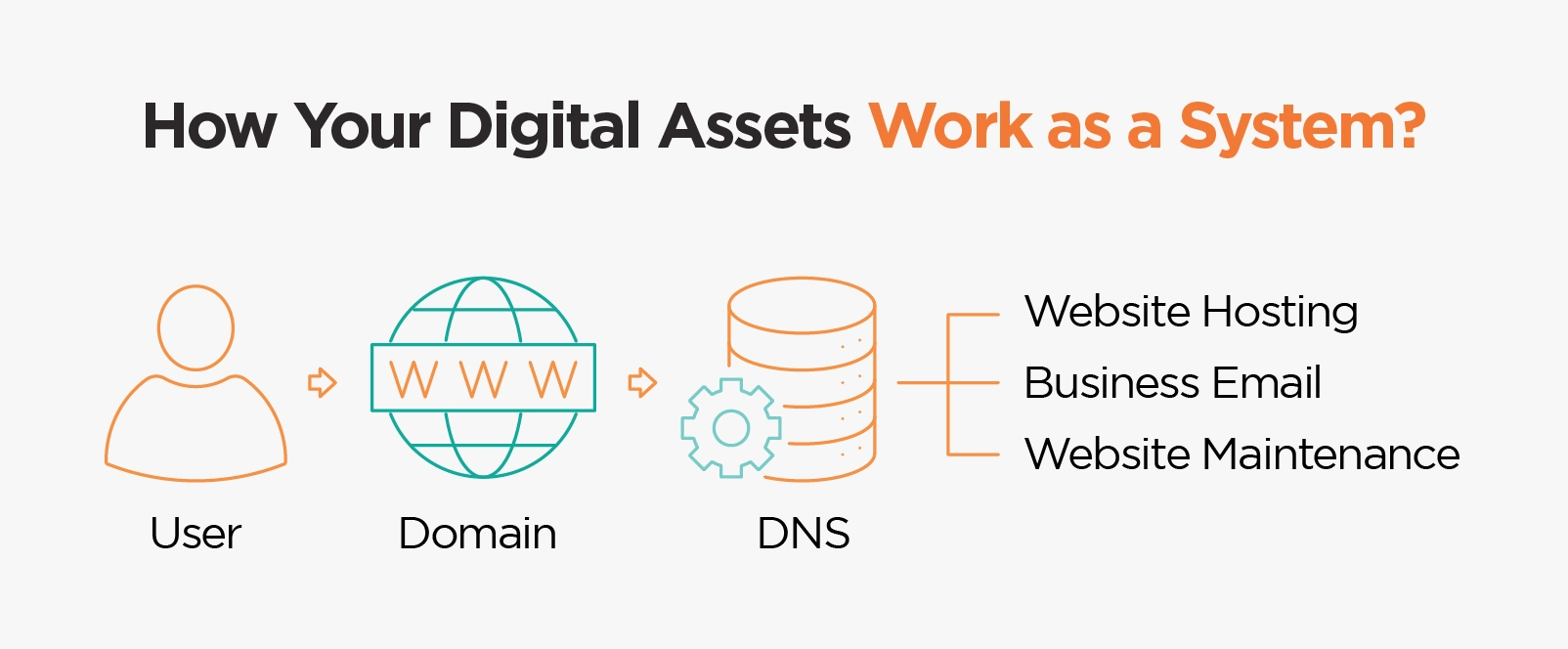
Your online presence works as a system. If one component fails, others are affected.
At a glance:
- Domain → Your digital address
- Hosting → Where your website lives
- Email → Your business communication system
- Website maintenance → Keeps everything working safely and smoothly
Domain Name: Your Business’s Digital Property Address
Your domain name (like mybusiness.sg) is the foundation of your online identity. It is the address customers type into their browser to find your website or send you emails. Without a valid domain, both your website hosting and email hosting stop working.
Important truth for SMEs:
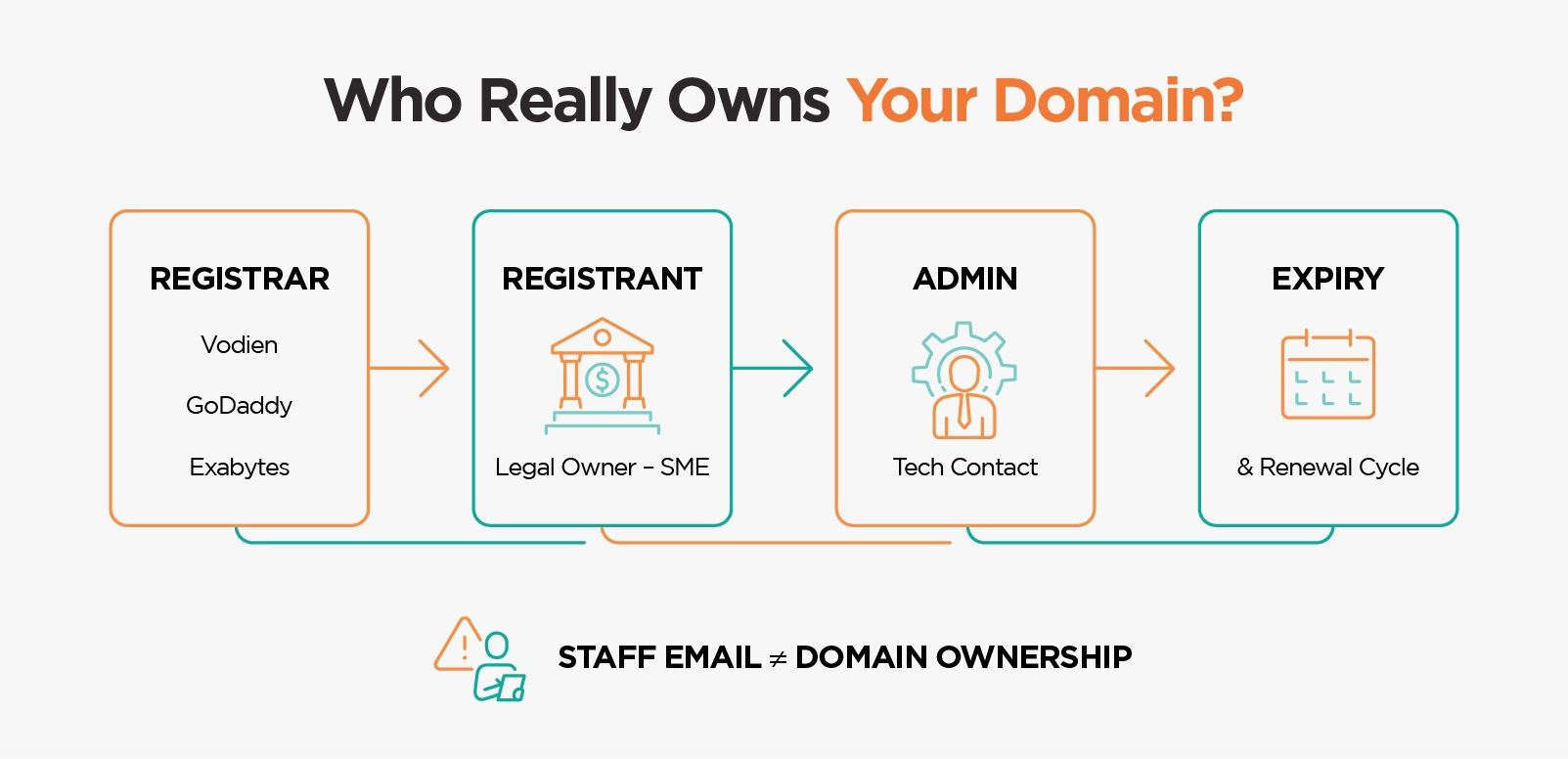
A domain is not automatically yours forever. You are renting it annually through a registrar such as Vodien, GoDaddy, or Exabytes. If you forget to renew it, you could lose it to competitors or cybersquatters.
Common domain mistakes we see in Singapore:
- Domains are registered by staff or freelancers using personal emails.
- Renewal notices never reach the actual business owner.
- The business only finds out after the website and emails go offline.
How to Check Domain Ownership (Step-by-Step)?
Use Who.is to check:
- Who registered it
- When it expires
- Which email is used as the “Registrant” (owner)
⚠️ If privacy protection is enabled, ask your web vendor or registrar to confirm ownership.
Is It Safer for an SME to Register a Domain Through a Personal Contact or a Web Agency?
Your company domain is a critical digital asset. It should always be registered under your business name, but deciding who manages it on your behalf matters too.
If you register through a personal contact such as a staff member or freelancer:
- They may leave the company or become uncontactable
- Their email or account access may be lost
- Personal contact may go missing after a few years, relationships may
- change, or accidents may happen. No one knows
- The business could lose control if disputes arise
If you register through a trusted web agency:
- You benefit from continuity and professional support
- Even if your point of contact changes, the company remains responsible for renewals and DNS management
- The agency ensures your domain remains active, properly configured, and that you will not lose control of it
Important: Ownership of the domain always belongs to you, the client.
A professional agency like Verz Design only appears as the Admin, Billing, or Technical Contact, never as the legal owner.
This ensures your business remains the rightful owner, while still enjoying the convenience of expert support.
Web Hosting: Where Your Website Lives
Your web hosting is the server space where your website files, images, and database are stored. Without hosting, your domain has nowhere to point to, so your website cannot be displayed.
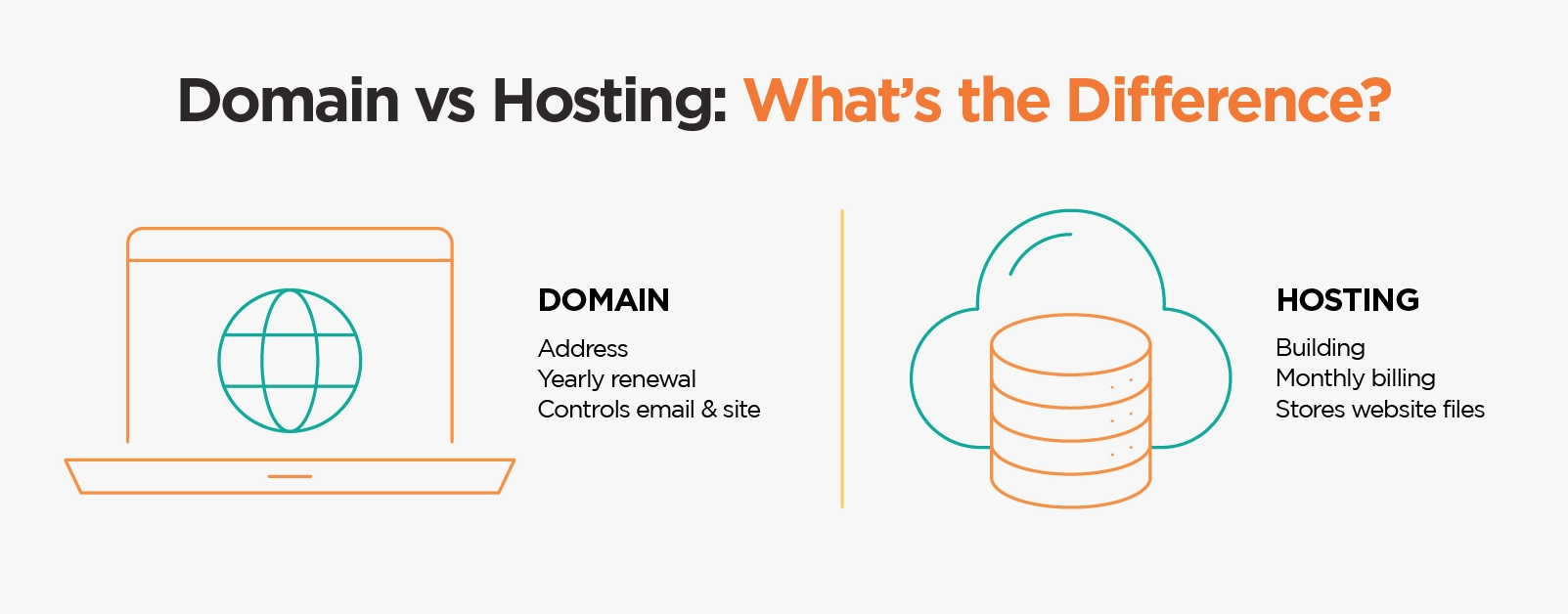
You can think of hosting as the shop unit where your business website lives, while the domain name is your shop’s address.
Simple analogy:
- Domain → Shop address
- Hosting → Shop unit
Common Web Hosting Issues for SMEs
- Hosting bundled during development but never documented
- Login details lost after launch
- Cheap hosting causing slow speed, downtime, or malware
How to check your web host?
Go to DNSChecker.org and run an A Record Lookup for your domain.
You will see an IP address, for example, 18.213.123.45.
Copy this IP address and paste it into DNSChecker IP Location Lookup.
The tool will show which company or hosting server the IP belongs to. That is the hosting provider your website is using.
SEO Tip: When choosing hosting, look for Singapore-based servers for faster local loading speed and better SEO rankings.
Bonus: Understanding DNS (Your Website’s GPS)
Your DNS (Domain Name System) acts as the map that connects your domain, hosting, and email. It tells browsers and mail servers where to go when someone types your domain name or sends you an email.
In Simple Terms:
- Domain (mybusiness.sg): Your shop name.
- Web Hosting: The shop unit where your website files are kept.
- Email Hosting: The office where your business emails are delivered.
- DNS: The mall directory or GPS that tells visitors where each service is located.
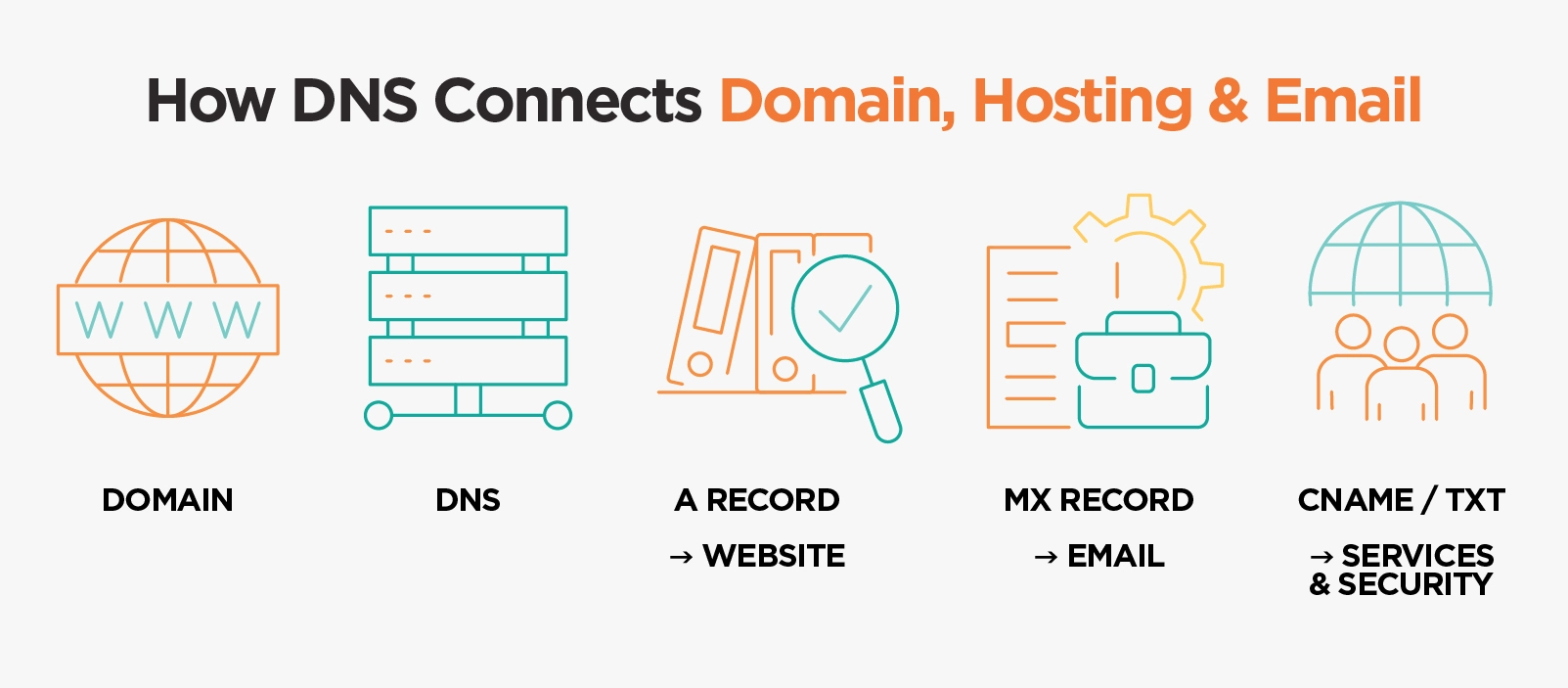
Key DNS Records:
- A Record: Points your domain to your website’s hosting server. It usually shows an IP address such as 18.213.123.45. To know which company this IP belongs to, paste it into DNSChecker IP Location Lookup to identify the hosting provider, such as AWS, Vodien, or DigitalOcean.
- MX Record: Directs emails to your email hosting provider such as Google Workspace or Microsoft 365.
- CNAME Record: A nickname used for subdomains or external services such as shop.mybusiness.sg.
- TXT Records: Notes for security, email verification, or Google Search Console validation.
Nameservers (NS) The DNS Control Centre
- The “building manager” of your digital property. They decide which DNS directory the world should check for your records.
Thumb Rule:
When you update the Name Servers (NS) of your domain, the management of DNS records (A, MX, CNAME, etc.) automatically moves to the provider where the NS is pointed.
- Example 1: If the NS is pointed to Vodien, then all DNS records are managed in Vodien.
- Example 2: If the NS is pointed to GoDaddy, then DNS records are managed inside GoDaddy’s control panel.
So if you need to update your website hosting or email provider, always check where your NS is pointing because that is where your DNS is managed.
Email Hosting: The Business Asset You Cannot Afford to Lose
Your email hosting powers your business communications. It delivers messages like you@yourcompany.sg. Many SMEs overlook email hosting, yet it is often more critical than the website itself.
Common email risks for SMEs:
- Emails hosted on cheap shared servers with poor spam protection.
- Inboxes are full due to small storage limits.
- Ownership lost when staff leave or agencies disappear.
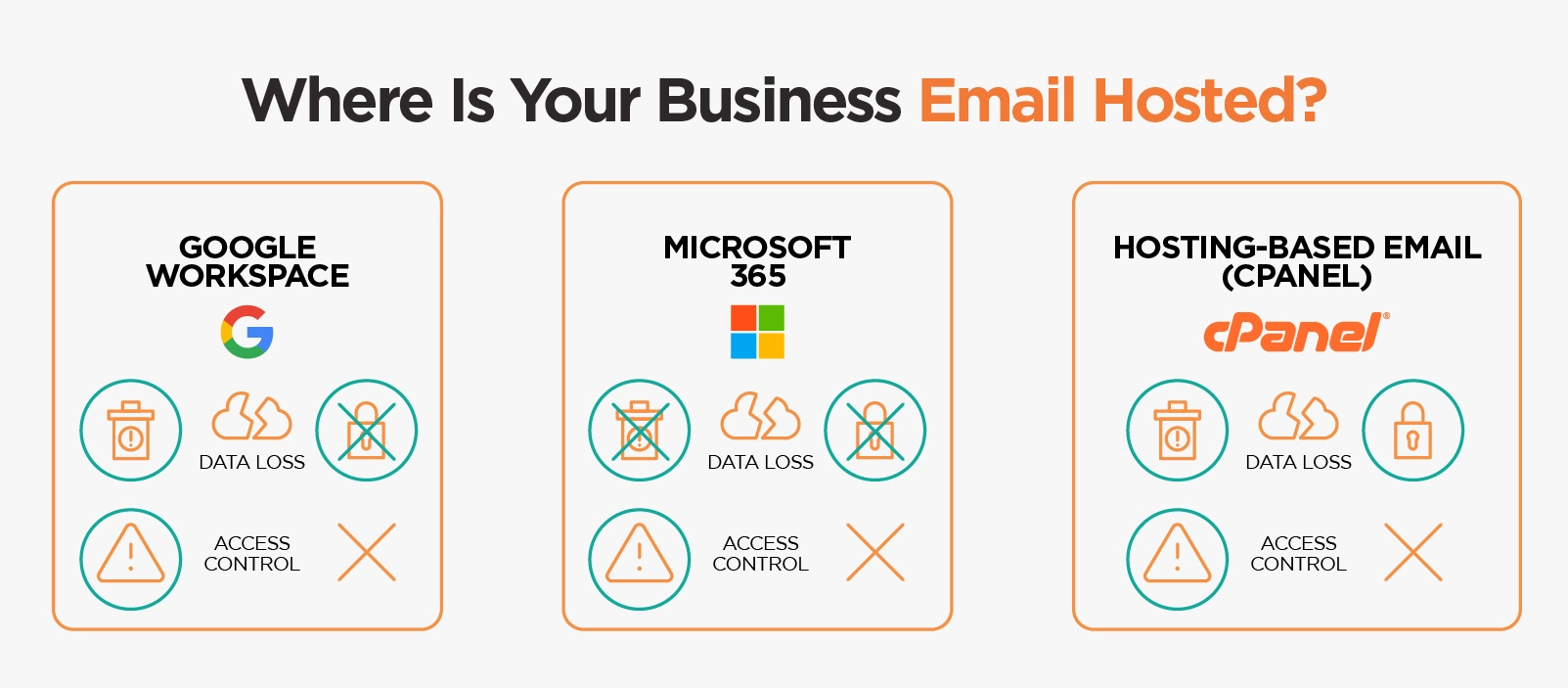
How to Check Who Hosts Your Business Email?
Use DNSChecker MX Lookup. The MX results will show which company handles your emails:
- aspmx.l.google.com means your emails are hosted on Google Workspace.
- outlook.com or protection.outlook.com means your emails are hosted on Microsoft 365.
- If you see your web host’s name or another unfamiliar mail server, your emails may be hosted on a custom mail server, such as cPanel, Zoho Mail, or another third-party provider.
To verify who that provider is, copy the MX value and search it on Google (for example, “mx.zoho.com” or “mail.vodien.com”).
Why Many Singapore SMEs Switch to Google Workspace?
Many Singapore businesses still rely on outdated or fragile email systems especially from cPanel Web Hosting Emails. We always recommend switching to Google Workspace because:
- Works with your domain (for example, you@yourcompany.sg)
- Includes Gmail, Calendar, Drive, Docs, Meet, and more
- Easy to scale as your business grows
- Accessible on mobile and desktop
- Backed by Google’s security and uptime guarantee
Read more here: Why Singapore SMEs Switch from cPanel Email to Google Workspace?
Verz can help you migrate your entire company to Google Workspace without losing old emails or facing downtime.
Website Maintenance: What Keeps Your Site Working After Launch
Your website is the face of your brand. It ties together all your digital assets such as your domain, hosting, and email to create a seamless experience for your customers.
Many SMEs treat their websites as “done” after launch, assuming their hosting provider will handle everything from fixing errors to updates. In reality, hosting and website maintenance are separate services, and a website is a living system that requires regular care, just like a car needs servicing.
Web hosting provides the server space that keeps your website online, securely storing your files and ensuring visitors can access your site, whereas website maintenance keeps your website functioning properly after launch, including updates, bug fixes, backups, and security checks.
Think of it this way
Hosting is like renting a shop unit, while maintenance is the cleaning, repairs, and servicing that keep it running smoothly. Without maintenance, issues like broken buttons, malfunctioning forms, or downtime are not covered by hosting alone. Hosting keeps the site online; maintenance keeps it working properly.
Your website works the same way. Without regular care, small issues can grow into expensive problems.
What Can Go Wrong Without Maintenance?
- Plugins or CMS updates may break parts of your site
- Contact forms can stop working silently, causing missed enquiries
- Malware or hacking attempts can damage your reputation and SEO
- Backups may fail without notice, leaving no recovery point
How to Know if Your Website Is Properly Maintained?
Ask yourself:
- Are regular updates and backups being performed
- Who is monitoring your website for bugs, downtime, or speed issues
- Is anyone checking for broken links or spam injections
If your answer is “not sure,” chances are no one is maintaining it, and your website might already be at risk.
Verz Website Maintenance Package
Verz offers structured, proactive website maintenance so you do not have to worry.
It includes:
- CMS/plugin updates
- Security patches
- Regular backups
- Bug fixing and performance scans
- Priority support for emergencies
Click here to view/download our Website Maintenance Package (PDF)
Final Thoughts
Your online presence is only as strong as your weakest link. Your domain, hosting, email, and website are all interconnected through DNS. Losing access to even one can disrupt your business.
Do not wait for something to break.
✅ Let Verz do a free audit of your digital assets.
We will help you map everything, regain access, and ensure nothing slips through the cracks again.
Need a strong team specialised in SEO?
Speak to Verz today if you are looking to create a website with a
lasting impression to achieve online success.


 Share
Share